Our phones and laptops have become essential tools for how we live, communicate, and work. From exchanging messages and accessing email to documenting community activities, managing organisational information, and storing photographs, we rely on these devices every day.
But what happens when a laptop is stolen, a phone goes missing, or important files are accidentally deleted?
Beyond the inconvenience of replacing a device, such incidents can expose sensitive information, compromise online accounts, and disrupt work that may have taken months or years to complete.
For journalists, civic actors, community organisers, and organisations working in the public interest, protecting devices is therefore about much more than securing technology. It is about safeguarding information, relationships, and the ability to continue working.
Why Device Security Matters
Our phones and computers often contain far more information than we realise. A single device may provide access to organisational documents, confidential conversations, email accounts, cloud storage, social media platforms, photographs, and contact details.
For civic actors and journalists, these devices may also contain research, field documentation, interviews, and information about communities or individuals who have shared their experiences in confidence.
If a device falls into the wrong hands, the consequences can extend beyond its owner. Colleagues, partners, sources, and community members may also be exposed.
Fortunately, a few practical security habits can significantly reduce these risks.
1. Start with a Strong Screen Lock
One of the simplest ways to protect your information is to ensure that your phone and laptop cannot be accessed easily by someone else.
Use a strong PIN or password and enable biometric authentication, such as fingerprint or facial recognition, where appropriate.
Configure your devices to lock automatically after a short period of inactivity. Avoid sharing passwords or leaving unlocked devices unattended, particularly in cafés, airports, meeting rooms, and other shared spaces.
A screen lock will not prevent every security threat, but it provides an important first barrier against unauthorised access.
2. Protect the Information Stored on Your Device
Screen locks are important, but device encryption provides an additional layer of protection.
Encryption makes information stored on a device unreadable without the appropriate credentials. This is particularly valuable if a phone or laptop is lost or stolen.
Most modern smartphones support device encryption. On computers, features such as BitLocker for Windows and FileVault for Mac can help protect stored information.
Check whether encryption is enabled, especially on devices used to access confidential or sensitive organisational information.
3. Back Up Your Important Files Regularly
Imagine losing months of photographs, research notes, reports, or community documentation because your laptop suddenly stops working.
A backup is a separate copy of important information that allows you to recover files when something goes wrong.
For work-related information, use approved organisational cloud storage, such as Google Drive, and ensure that important documents are saved in the appropriate shared locations rather than exclusively on your laptop.
For particularly valuable information, consider maintaining an additional secure backup, such as an encrypted external drive, where organisational policies permit.
However, there is an important distinction: synchronisation is not always the same as a backup.
Cloud synchronisation keeps files updated across devices, but accidental deletions, unwanted changes, or corrupted files may also be synchronised. A reliable backup should provide a way to recover earlier or separate copies of your information.
Most importantly, check that your backups actually work. A backup you have never tested may fail when you need it most.
4. Prepare for Device Loss or Theft
Losing a phone or laptop can be stressful, particularly when it contains access to important accounts.
Fortunately, many modern devices include features that can help locate, lock, or erase them remotely.
Android users can enable Google’s Find Hub, while Apple users can use Find My for supported iPhones, iPads, and Macs.
These services generally need to be configured before a device goes missing, and some features depend on connectivity and device settings.
If a device containing organisational information is lost or stolen, report the incident promptly. Early reporting can help protect connected accounts and reduce the risk of unauthorised access.
5. Keep Your Devices Updated and Handle Them Carefully
Software updates are not simply about adding new features. They frequently address security vulnerabilities that attackers may exploit.
Install operating system and application security updates promptly, and enable automatic updates where practical.
Be cautious about connecting unfamiliar USB drives or installing software from untrusted websites. These can introduce malware or compromise information stored on your device.
Physical security matters too. Keep devices within sight when travelling or working in public spaces, and avoid leaving them unattended in vehicles or shared workspaces.
What Should You Do If a Device Is Compromised?
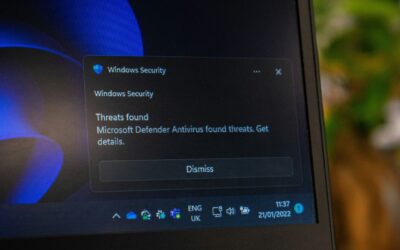
If you suspect that your phone or laptop has been compromised, act quickly but carefully.
Report the incident, secure affected accounts from another trusted device, and seek technical assistance.
If you suspect malware or spyware, avoid immediately resetting the device or deleting suspicious files without guidance. In some situations, preserving evidence may be important for understanding what happened and responding appropriately.
The priority should be protecting affected information and accounts while obtaining the right support.
Make Device Security a Routine
Protecting your digital information does not require complicated technical knowledge. It begins with a few consistent habits: locking your devices, installing updates, maintaining reliable backups, and preparing for the possibility of loss or theft.
For civic actors, journalists, and organisations working with communities, these habits are also part of responsible information management.
A secure device reduces the risk of unauthorised access. A reliable backup helps ensure that losing a device does not mean losing your work.
The best time to secure your device and check your backups is before something goes wrong.
Additional Resources
- Google – Find, Secure or Erase a Lost Android Device — Guidance on protecting a missing Android device.
- Apple – Find Devices — Locate and secure supported Apple devices.
- Security in a Box — Practical digital security resources for activists, human rights defenders, and civil society organisations.
If you are part of the Inuka community and need assistance securing your device, configuring backups, or responding to a suspected security incident, contact the Civic Technology team for confidential guidance and support.