In recent years, the internet has become one of the most important spaces for civic engagement, community organizing, journalism, advocacy, and public discourse. Social media platforms and digital communication tools have enabled citizens to connect, share information, mobilize communities, and hold institutions accountable in ways that were previously unimaginable.
However, the same technologies that have empowered civic participation have also created new avenues for harassment, intimidation, and abuse.
Across Kenya and globally, civic actors, community organizers, journalists, activists, and ordinary citizens increasingly face online harassment, coordinated attacks, impersonation, doxxing, and digital intimidation. These attacks are often designed to silence, intimidate, discredit, or overwhelm individuals and organizations. In many cases, they seek to discourage people from participating in public life altogether.
As our personal and professional lives become more interconnected online, protecting ourselves from these threats is no longer optional. Digital security is increasingly becoming an essential part of personal safety, organizational resilience, and civic participation.
Understanding Doxxing and Online Targeting
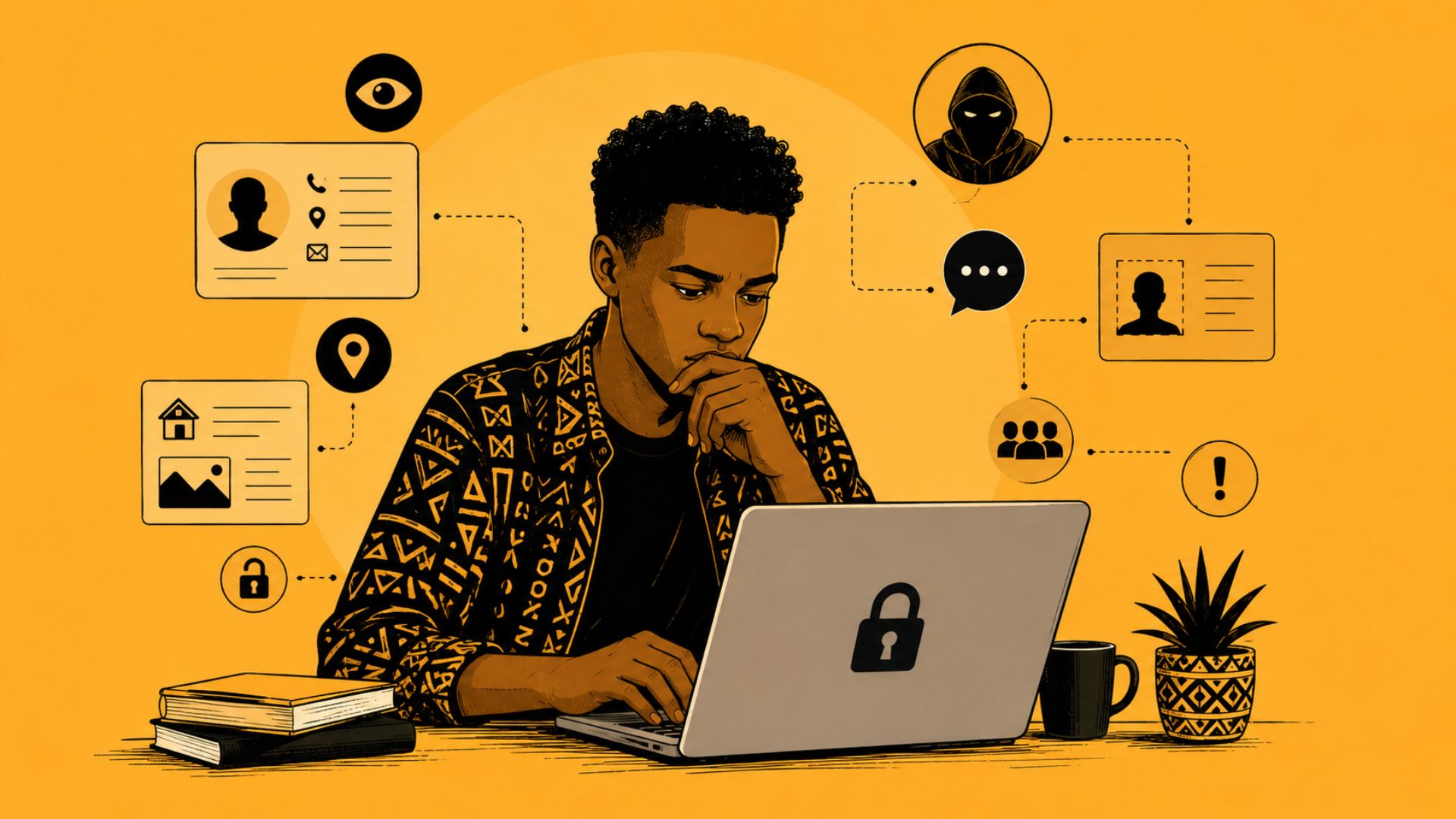
Doxxing (sometimes written as doxing) refers to the unauthorized exposure or sharing of someone’s personal information online without their consent. This information may include phone numbers, home addresses, identification documents, family details, employment information, travel patterns, personal photographs, or other sensitive data.
Online targeting goes beyond the publication of personal information. It can also involve coordinated harassment campaigns, impersonation accounts, threats and intimidation, trolling, non-consensual sharing of personal content, and deliberate attempts to damage a person’s credibility or reputation.
While these attacks often appear spontaneous, they are frequently organized and strategic. Their purpose is not necessarily to win an argument but to create fear, silence criticism, or discourage public participation.
Why This Matters
One of the most concerning aspects of online targeting is that many attacks begin with information that is already publicly available.
A social media profile, an old public document, a photo shared online, or a phone number listed on a website may provide enough information for malicious actors to begin building a profile of an individual.
For civic actors, journalists, and community organizers, the risks can be particularly significant. Public-facing work often requires visibility, making it easier for hostile actors to gather information, launch impersonation campaigns, or coordinate harassment.
A useful exercise is to search your own name online and review what information about you is publicly visible. You may be surprised by how much information is available and how easily it can be connected.
Practical Steps to Protect Yourself
Review Your Social Media Profiles
Your social media accounts are often the first place attackers look for information.
Take time to review your profiles and remove information that is not necessary for public viewing. Avoid sharing personal phone numbers, home addresses, family details, and real-time location information. Review privacy settings regularly and limit who can view your content, tag you in posts, or access your personal information.
Remember that even seemingly harmless information can be combined with other publicly available data to build a detailed profile about your life and routines.
Strengthen Your Account Security
Strong account security remains one of the most effective defenses against online targeting.
Enable Multi-Factor Authentication (MFA) on all major accounts, including email, social media platforms, and cloud services. MFA adds a layer of protection by requiring a second form of verification before access is granted.
Use strong, unique passwords for each account and consider using a password manager such as Bitwarden or 1Password to generate and securely store them.
Watch for Impersonation
Impersonation accounts are increasingly common. These accounts often use stolen profile photos, similar usernames, and copied content to deceive followers, colleagues, or supporters.
If you discover an impersonation account:
- Take screenshots for documentation.
- Report the account to the platform.
- Inform colleagues, friends, and contacts.
- Monitor for any attempts to solicit information or money in your name.
Early detection can help prevent further harm.
Responding to Harassment
When facing online harassment, it is important not to respond impulsively.
Instead:
- Document incidents using screenshots.
- Save links and relevant evidence.
- Use mute, block, and report functions where appropriate.
- Escalate serious threats involving violence, stalking, or personal safety concerns.
Not every comment requires a response. In many cases, disengagement combined with documentation is the safest approach.
Digital Security Is Community Security
Digital security is often viewed as an individual responsibility, but it is also a collective one.
Attackers frequently target family members, colleagues, friends, and organizations connected to an individual. Protecting yourself helps protect your networks and the communities you work with.
For organizations, encouraging a culture of digital security awareness can significantly reduce risks. Regular conversations about privacy settings, password hygiene, account security, and online safety help build resilience against emerging threats.
Resources for Further Learning
If you would like to learn more about protecting yourself and your loved ones from online targeting, consider the following resources:
- Kaspersky – Protecting Yourself and Your Close Ones from Doxxing
- NTV Kenya – Explained: Doxxing & Data Privacy with Jaimee Kokonya
- Smowltech – What is Doxxing and How to Protect Yourself
These resources provide practical guidance for understanding the risks and implementing protective measures.
June Digital Security Checklist
Before the end of the month, take a few minutes to:
- Review your social media privacy settings.
- Enable Multi-Factor Authentication on all major accounts.
- Remove unnecessary personal information from public profiles.
- Search your name online and review what information is publicly visible.
- Save key digital security support resources for future reference.
Protecting Your Ability to Participate
Protecting yourself online is not about hiding from the world. It is about ensuring that you can continue to participate, organize, advocate, and communicate safely.
As civic spaces increasingly intersect with digital spaces, personal digital security is critical to protecting freedom of expression, civic participation, and community resilience.
Strong personal security strengthens the work we do and the communities we serve.